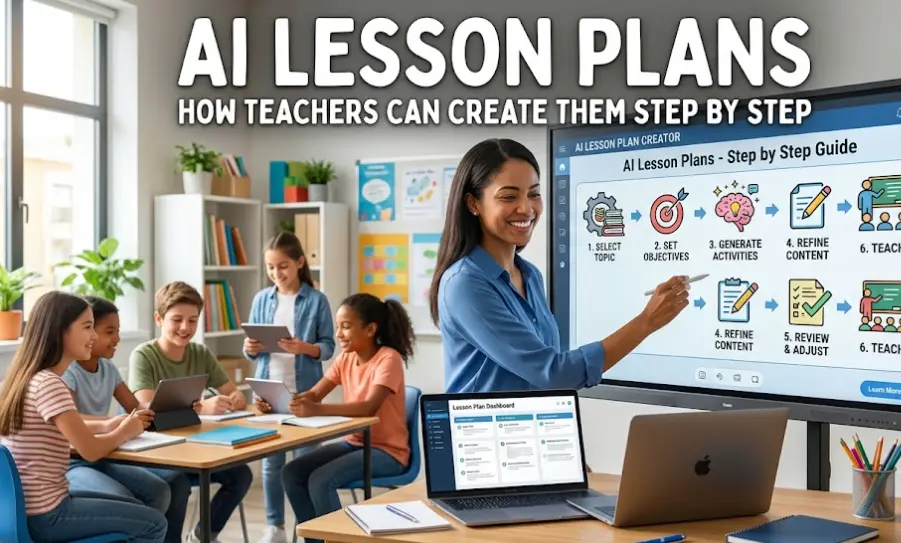
AI Lesson Plans – How Teachers Can Create Them Step by Step
AI lesson plans are easiest to explain with a small example. It’s Sunday evening, Monday’s history lesson is still blank, and you have one 45-minute period to fill. Type the topic, grade level, and class length into an AI tool and a rough outline comes back in moments. That outline is a starting point, and this guide covers how to ask for it, which tools teachers use, and what needs checking before it reaches students.

What AI Can Help With
AI is useful for getting a first draft together: lesson outlines, rubrics, reading passages, and exit tickets. Changing a reading level or adding a simplified version for ESL/ELL students can usually be done with a follow-up message. If you’re working from IEP goals, you can ask for adjusted tasks too, though those still need to be reviewed by someone who knows the student.
When you’re short on ideas for a hook or a discussion topic, you can also ask for several options and pick the ones that fit your class. How much time you actually save depends on the subject and on how much editing the plan needs.

Which AI Tools Teachers Use for Lesson Plans
MagicSchool AI and Eduaide.ai are built for teachers, with ready-made templates for lesson plans, rubrics, parent emails, and accommodations. ChatGPT and Claude are general chat tools. They take more typing, but you can steer them more freely and ask for long or unusual formats.
Curipod and Gamma are more focused on presentations, turning a topic into a deck with things like polls or quiz questions. Features and free limits change often, so check each site’s current plan before you build a routine around one.
How to Write the Prompt
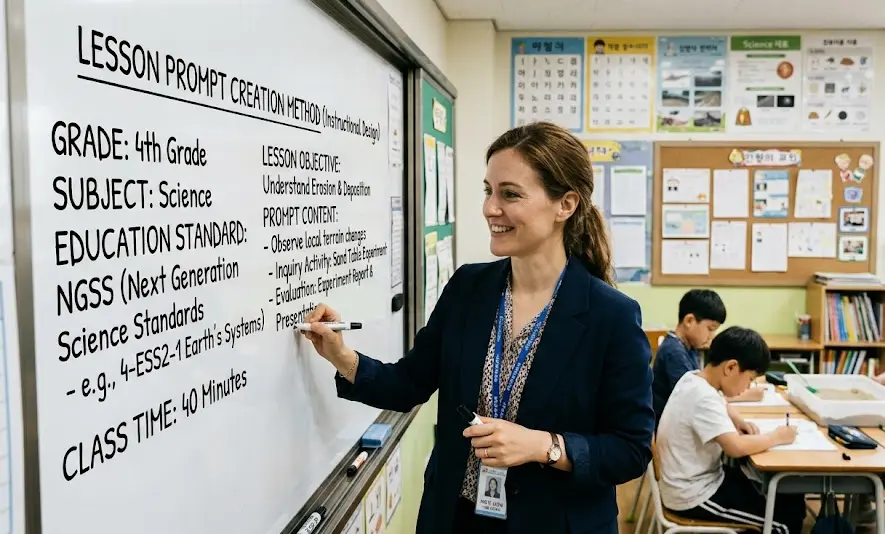
A prompt that names the grade, subject, standard (Common Core or NGSS, for example), and class length usually gives you a more usable plan than simply asking for “a lesson on the American Revolution.” Starting with a role, like “Act as an 8th-grade history teacher,” can also help guide the output.
Listing the sections you want keeps the answer from turning into an essay: hook, direct instruction, guided practice, independent work, assessment. Add the format at the end, along with any accessibility needs such as large-print handouts.
Here is a prompt that covers all of that:
“Act as an 8th-grade History teacher. Create a 45-minute lesson plan about the causes of the American Revolution aligned with Common Core standards. Include a 5-minute hook, a bulleted outline for direct instruction, a 15-minute group activity, and a 3-question exit ticket. Format the output in clean Markdown with clear section headers.”
If the first result is too generic, just tell the AI what needs to change instead of starting over. “Make the group activity shorter and add a primary source” is often enough.
What to Check Before You Use It
AI sometimes produces facts that sound right but aren’t: wrong dates, quotes nobody said, or citations for articles that don’t exist. Dates and quotations are worth checking against your textbook or a source you trust.
Student privacy is another important point. Don’t put names, ID numbers, or other personal details into public AI tools. In the US, that can involve FERPA, and in the EU, GDPR. Your school or district may also have its own list of approved tools.
AI also doesn’t know your classroom. It can’t tell that third period is restless after lunch, or that one student needs a seat near the door. Treat the plan as a draft and change whatever doesn’t make sense for your students or your classroom.
You could start small with something like an exit ticket for tomorrow’s lesson. See how much of it you actually end up using.
Check out these related posts:
👉 ChatGPT for HR – Writing Job Descriptions and Interview Questions